 BrightBots

Ruleguard
Ruleguard protects your community server and keeps it lively with one bot.
Moderation, verification and server logs keep your server safe. Levels, role menus, giveaways and stream alerts give your members a reason to spend time on it.
Adding Ruleguard is free, and its premium features are free during early access too. If you would like to add the bot with fewer permissions, you can look at the other invite.
verification
Only you can see this
Only you can see this
Only you can see this
Only you can see this
This window is a working copy of Ruleguard's verification panel. Press Verify and answer the question, and try a wrong answer to see what happens then.
general-chat
@Deniz has reached level 5!
Five reasons to choose Ruleguard.
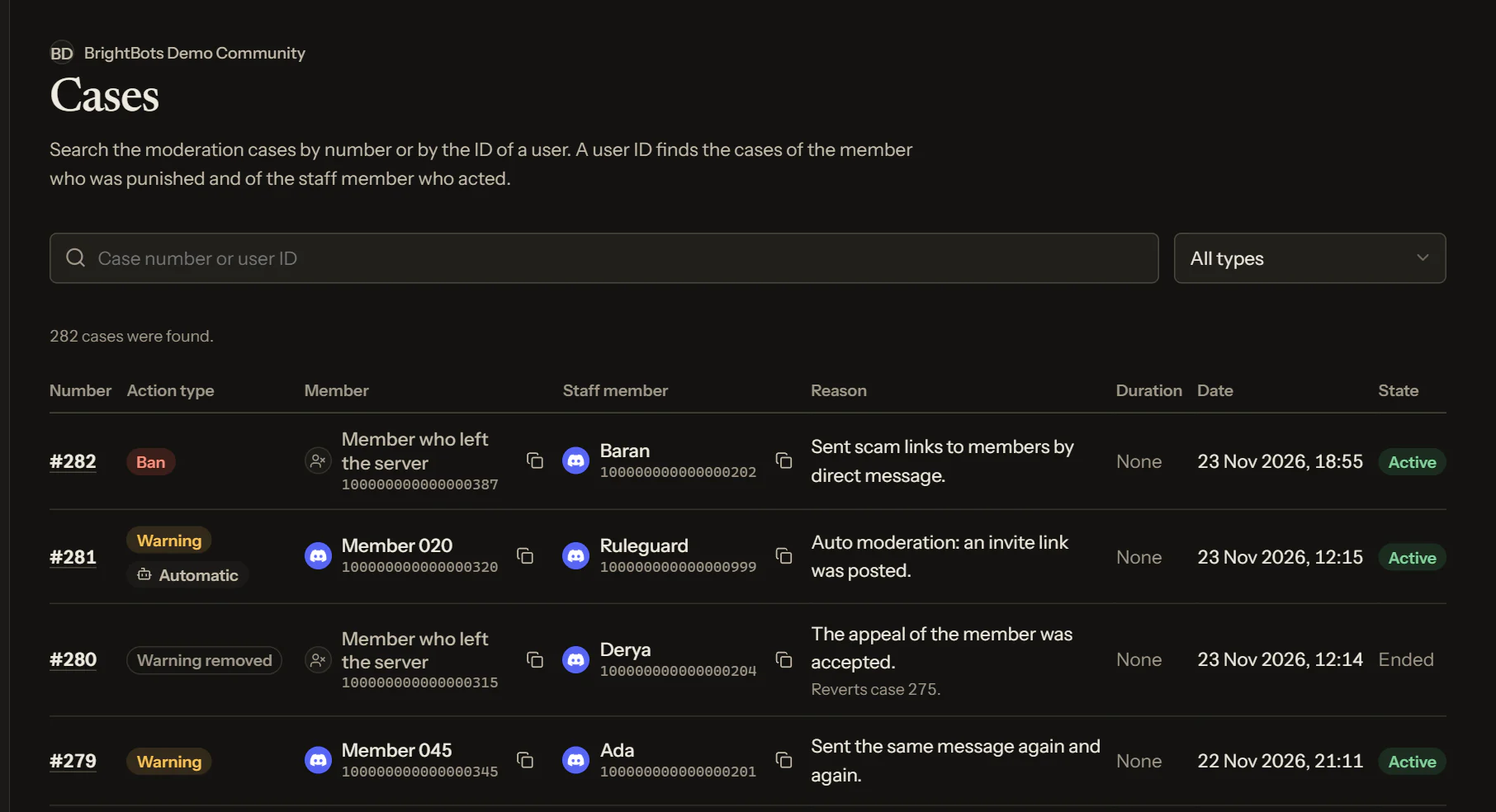
Every sanction is a numbered case you can find in the panel.
Warnings, timeouts, kicks and bans are stored with their reason. In the panel you search cases by number, or by the ID of the member who was punished or the staff member who acted.
It locks the server down during a raid and restores it afterwards.
When many accounts join in a short time, Ruleguard alerts the staff, kicks new accounts or locks the server down. When the lockdown ends, the channels and the verification level are exactly as they were.
Verification needs no outside service.
New members verify with a button, a reaction or an image code the bot draws itself. Everything happens inside Discord.
Logs never guess who did what.
Deleted messages, role changes and other events are logged. The person who acted is named only when the audit log shows it for certain.
The tools that keep a community lively are in the same bot.
Rank cards and level roles, role menus, scheduled announcements, giveaways and stream alerts are included. Every feature starts switched off, and only what you turn on in the panel runs.
Ruleguard is running in three steps.
- Add the bot to your server with the recommended invite. It creates nothing when it joins and points you to the panel.
- Open BrightBots Panel and pick channels and roles from the lists of your server. Next to every pick, the bot says whether it can work there.
- See in the preview exactly how the message will look in Discord, and press Send to channel. That is all.
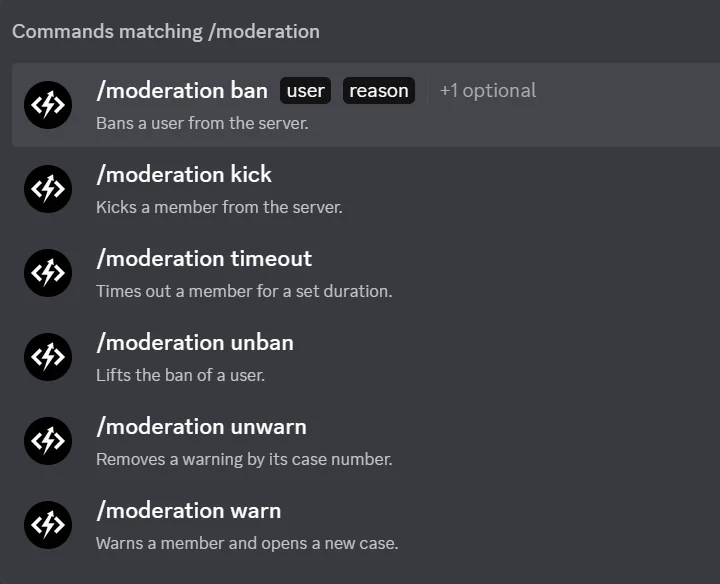
Every sanction is a numbered case, and the log keeps who did it and why.
These windows show the real commands and messages of Ruleguard. The member and staff names are examples.
staff-chat
staff-chat
Only you can see this
mod-logs
Ruleguard gives a community server the tools it needs in one place.
Every community feature is off by default. Only what you turn on in the panel runs, and if one of them fails, the others keep working.
You set the rules of moderation.
- Warn, timeout, kick, ban and unban ask for a reason, and each of them gets a case number.
- Warnings can turn into a sanction once they reach a number you set, for example a one hour timeout after three warnings.
- Before every action, the bot checks the role order and the permissions of both sides.
Auto moderation and raid protection work while you are away.
- Invite links, links outside an allowlist, message spam and too many capital letters are caught.
- Every rule has its own exempt roles, exempt channels and action.
- When many members join in a short time, Ruleguard alerts the staff, kicks new accounts or locks the server down.
- When the lockdown ends, the channels and the verification level go back exactly to how they were.
New members are verified before they get into the server.
- Verification is a simple question behind a button, a reaction, or an image code the bot draws itself.
- Members whose account is younger than a number of days you set go to staff review.
- No outside service is used for verification.
- Staff can register new members with a name and age, and the registrations of every staff member are counted.
Server logs show who did what.
- Joins and leaves, deleted and edited messages, role and nickname changes, channels, voice, server settings and invites are logged.
- Every type of event can be turned on or off and sent to its own channel.
- The person who did something is named only when the audit log shows it for certain.
Levels and role menus keep members on the server.
- Members earn XP by writing messages and spending time in voice channels.
- The level command shows a rank card with the member's avatar, level, rank and an XP bar.
- Members who reach certain levels get the roles you choose.
- Role menus let members pick one or more roles with a select menu or buttons.
Announcements, custom commands, giveaways and stream alerts are in Ruleguard as well.
- Scheduled announcements are sent once, every day, on the days of the week you choose, or every few hours.
- You can create up to twenty five slash commands of your own with names in both languages.
- Giveaways have a join button, an optional required role or minimum level, and a fair draw when time is up.
- When a Twitch, YouTube or Kick stream starts, one alert goes to the channel you choose.
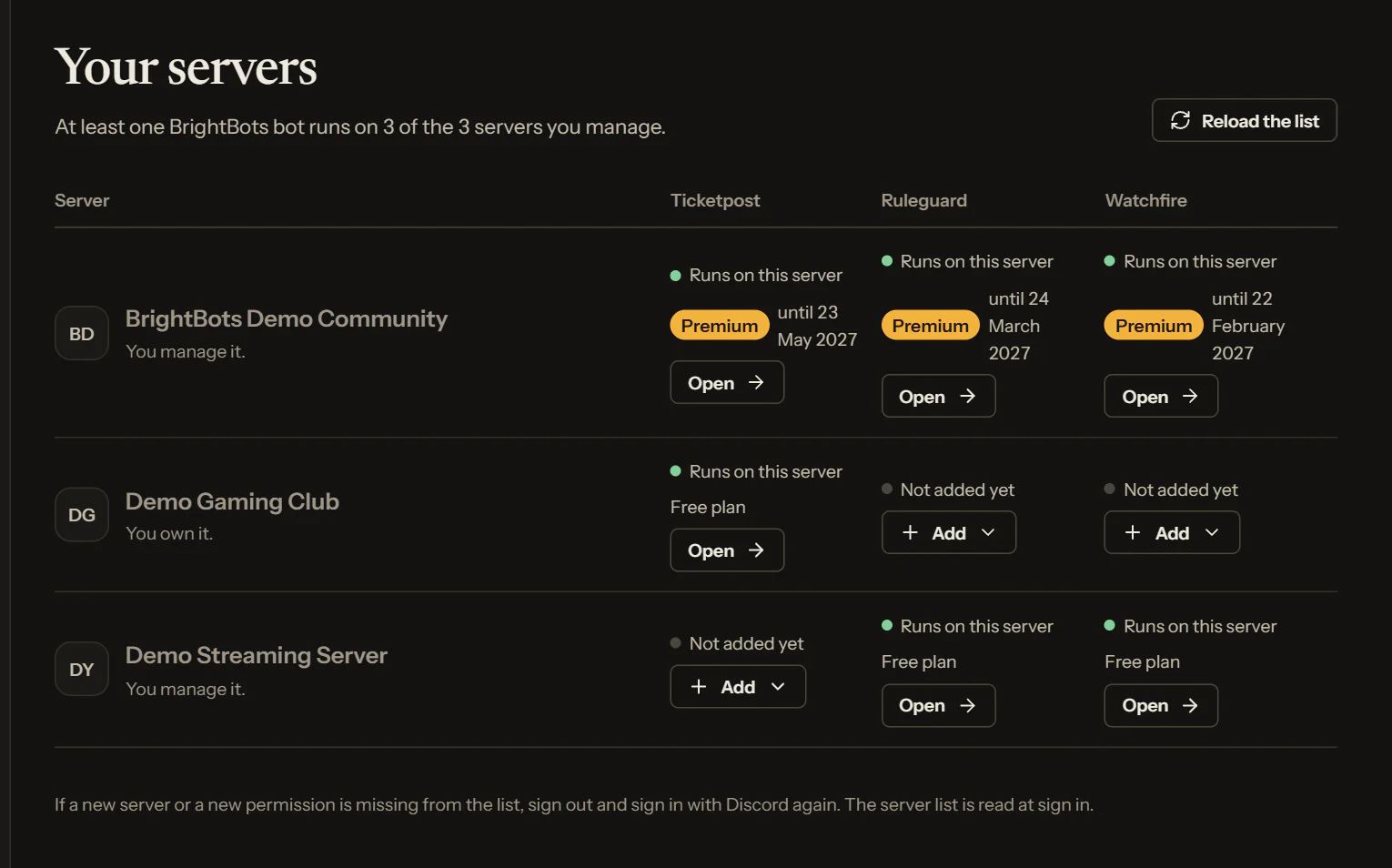
You see every case in one list in the panel.
The list shows the case number, the action type, the member, the staff member, the reason, the duration and whether the case is still active. Cases opened by auto moderation are marked as well.
You can use Ruleguard for free.
Paid plans have not started, and nothing is charged now. Servers that add the bot during early access become founding servers and get the premium plan at a lifetime discount of 50 percent when paid plans start.
Premium unlocks captcha image verification and more stream alerts, custom commands, role menus and announcements, and lets you change Ruleguard's name, avatar, banner and bio on your server. All the limits are listed on the pricing page.
When paid plans start, the settings of servers without premium are not deleted, and only the features that are part of premium stop.
Read the details of early access and the founding discountYou can add Ruleguard to your server in two ways.
The bot does the same work with both invites. The only difference is whether the bot can see private channels that existed before it joined your server.
Here are the common questions about Ruleguard.
If your question is not here, you can ask it on our Discord server.
Why does Ruleguard read messages?
Ruleguard uses the message content permission so auto moderation can catch messages that break the rules, and so the content of deleted or edited messages can be written to the log channel.
Do members have to visit another website to verify?
No. Verification happens entirely inside Discord, and Ruleguard draws the image code itself. Answers are only stored as salted hashes.
Which platforms do stream alerts work with?
They work with Twitch, YouTube and Kick streams. The alert goes only to a Discord channel, and the message is updated when the stream ends.
Do buttons and giveaways break when the bot restarts?
No. Role menus, verification buttons and giveaways keep working after a restart, and a giveaway that runs out ends on time.
Which languages does Ruleguard speak?
It speaks English, Turkish, Spanish, Brazilian Portuguese, German and French. Your server can pick one of these languages, or let the bot answer every member in their own Discord language.
What happens if I do not give the mention everyone permission?
The bot still works. Only roles that are not set as mentionable get no notification in announcements, stream alerts and giveaways, and the bot explains which roles that affects.
For a problem, a question or a custom Discord bot, you can write to us on our Discord server.
We have one server for support and sales. Its shared language is English, and it also has chat channels in Turkish and other languages. Support requests and custom bot orders start with a ticket.