 BrightBots

Ticketpost
Ticketpost keeps the support tickets and applications of your server in order.
A member picks a topic in a panel and fills in a short form. Ticketpost opens the ticket in a private channel, tells your team, and keeps a transcript of the conversation when the ticket closes.
Adding Ticketpost is free, and its premium features are free during early access too. If you would like to add the bot with fewer permissions, you can look at the other invite.
support
ticket-426563
Your ticket has been created. You can talk to the support team in .
Only you can see this
@Support Team A new support ticket has been opened.
@Deniz Your ticket has been created. The support team will help you here shortly.
Claim
Close
Choose another ticket action
This window is a working copy of Ticketpost's support panel. Choose a topic and send the form to see how the ticket opens.
Five reasons to choose Ticketpost.
Setup happens in a panel, not with commands.
You pick the ticket category, the support role and the log channel from the lists of your server. If you want, the bot creates them with the right permissions; it creates nothing unless you ask.
You see the support panel as Discord will show it before it is sent.
You prepare the topics, descriptions and menu in the panel. The preview uses the language of the bot and the look of Discord, and it updates even before you save.
Every ticket starts in order and leaves a record behind.
The member picks a topic and fills in a short form. The ticket opens in a private channel or private thread, an HTML transcript is kept when it closes, and the member rates the support.
The bot takes over the work your team repeats.
Canned replies, working hours, reminders for waiting tickets and closing silent tickets after a warning are built in.
Your members get support in their own language.
Ticketpost speaks six languages and can answer every member in their own Discord language. Ticket channels can be named in the language of the member too.
Ticketpost is running in three steps.
- Add the bot to your server with the recommended invite. It creates nothing when it joins and points you to the panel.
- Open BrightBots Panel and pick channels and roles from the lists of your server. Next to every pick, the bot says whether it can work there.
- See in the preview exactly how the message will look in Discord, and press Send to channel. That is all.
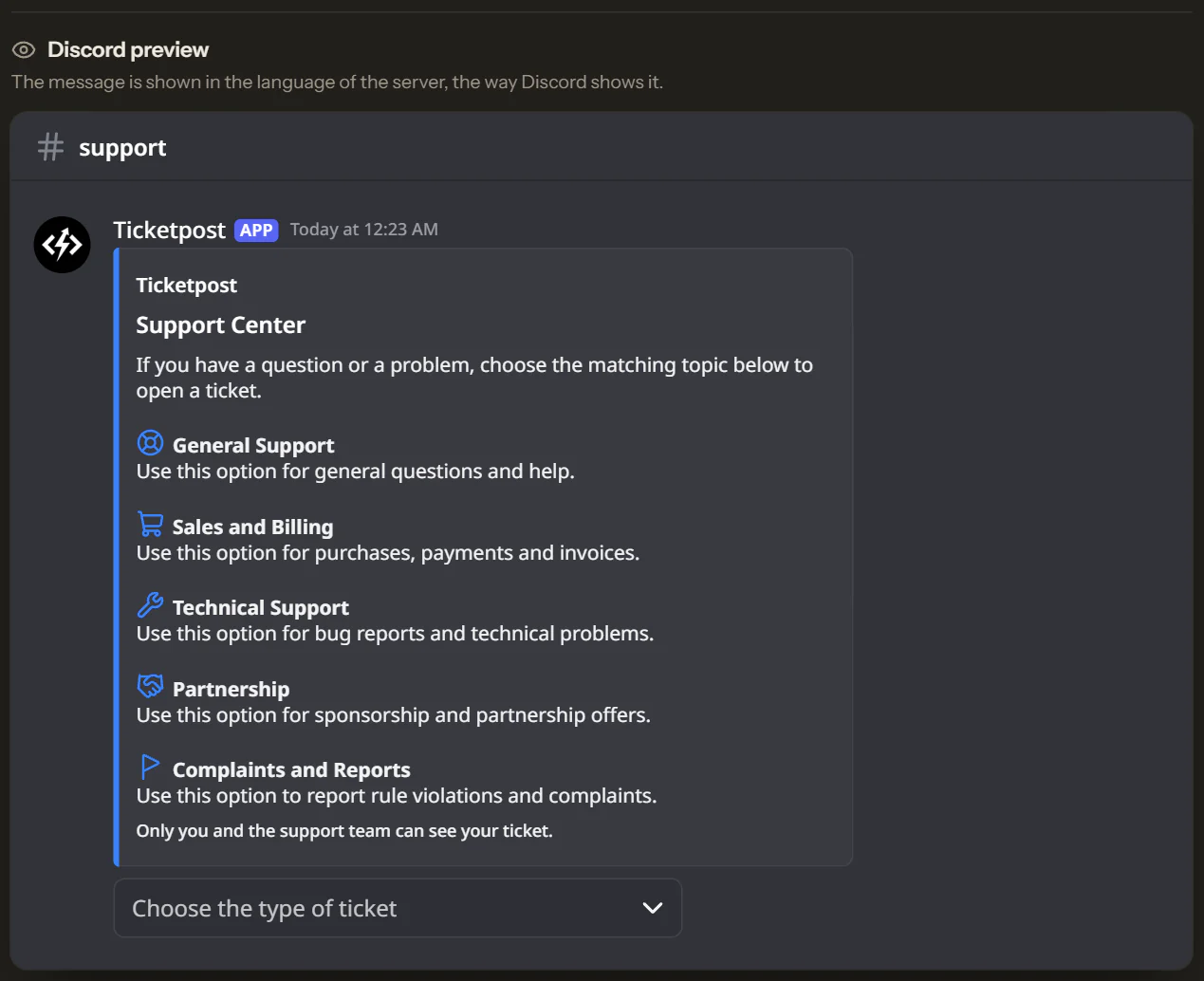
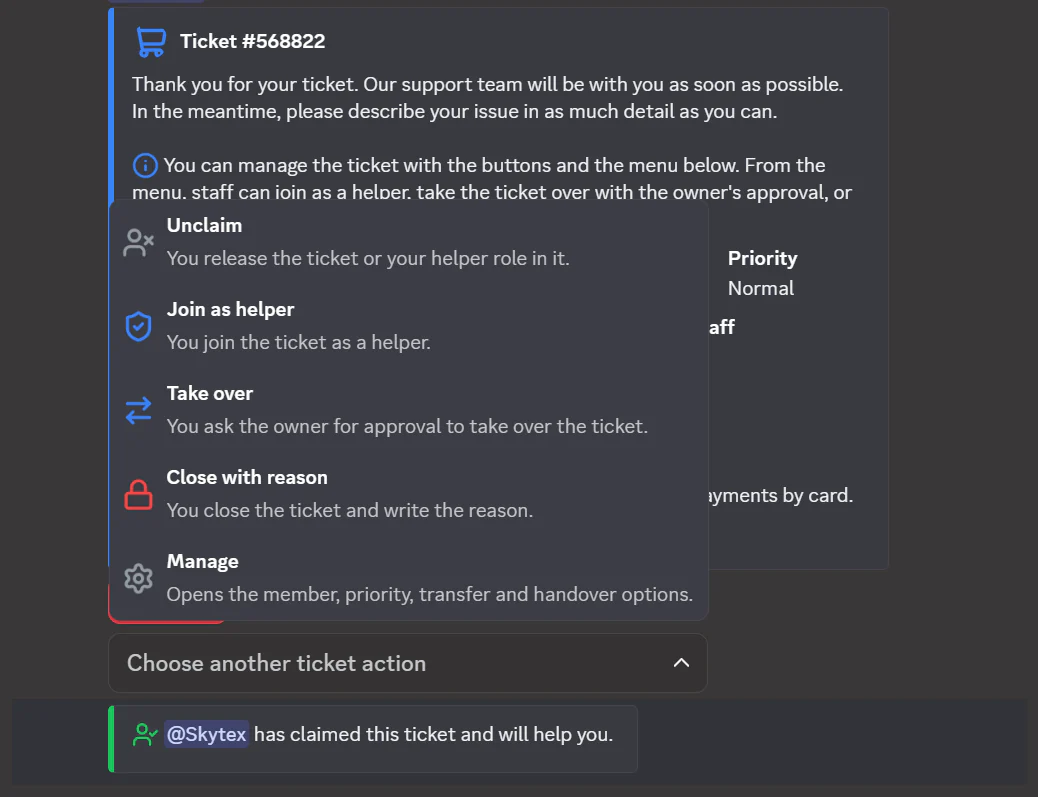
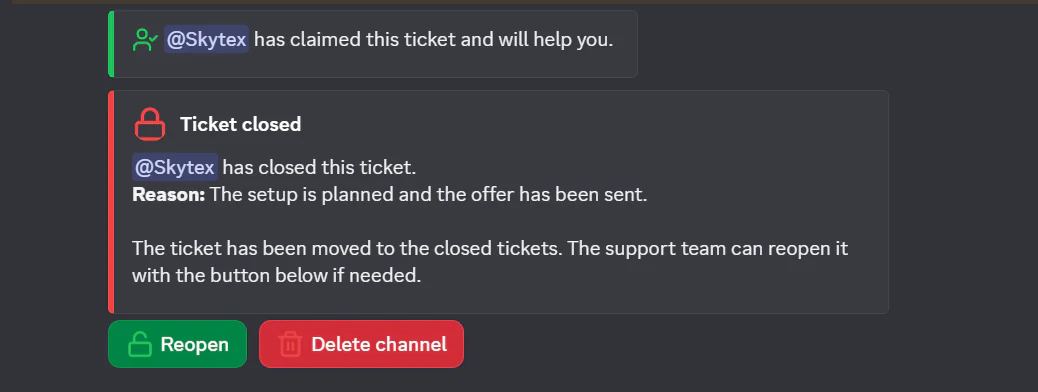
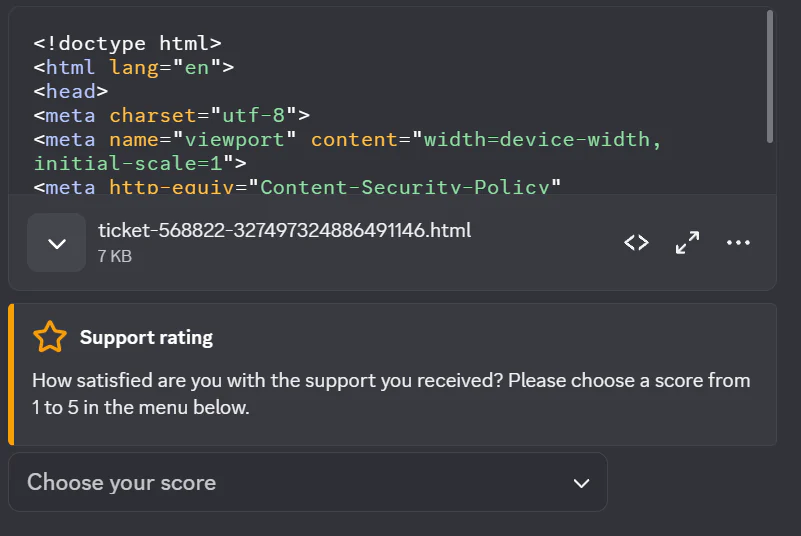
Every step after a ticket opens is visible in Discord.
These screens were taken from Ticketpost running on a real Discord server.
ticket-426563
ticket-426563
Ticketpost
support-logs
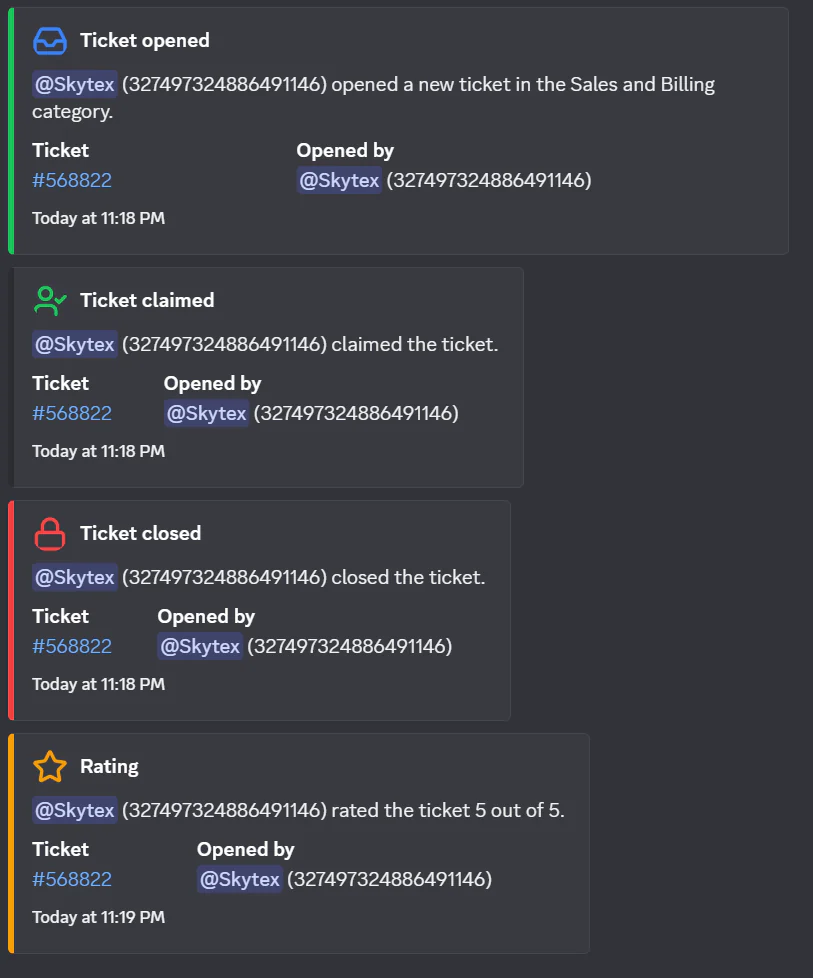
Ticketpost takes over the work your support team repeats every day.
Tickets open under the topic the member chooses.
- The panel shows the topics as buttons or as a select menu.
- Each topic asks its own form of up to five questions when a ticket opens.
- Tickets can open in separate channels or in private threads.
- Ticket numbers can count up, or be six random digits so nobody can tell how many tickets the server has had.
Your team shares the tickets among itself.
- A staff member can claim a ticket, join it as a helper or take it over with the owner's approval.
- Tickets can be moved to another category and their priority can be changed.
- Canned replies send common answers with a single choice.
- The team gets a reminder about tickets that are waiting for an answer.
Working hours and auto close keep things in order.
- You can set the working hours of your team in the panel, in the time zone of the server.
- Tickets without an answer for a long time get a warning first and are then closed by themselves.
- On the premium plan, a report that sums up the support work of your team arrives every month.
Every closed ticket leaves a record behind.
- The transcript is sent as an HTML file to the log channel and to the member.
- The member can rate the support when the ticket closes.
- A closed ticket can be reopened when needed.
- In the panel you can search old tickets by number and see statistics.
You take applications with the same bot.
- An application form can have up to fifteen questions on three pages.
- Staff vote on applications and approve or reject them with a reason.
- An approved member gets the roles you chose automatically.
- A separate ticket can be opened to ask the applicant a question.
Ticketpost speaks the language of your members.
- The bot works in English, Turkish, Spanish, Brazilian Portuguese, German or French, or answers every member in their own Discord language.
- Ticket channels can be named in the language of the member who opened them.
- Ticketpost does not need the message content permission, because everything is done with commands, buttons and forms.
During early access, Ticketpost's premium limits are open on every server.
Paid plans have not started, and nothing is charged now. Servers that add the bot during early access become founding servers and get the premium plan at a lifetime discount of 50 percent when paid plans start.
When paid plans start, the settings of servers without premium are not deleted. Your next save has to fit the free limits, and the monthly report and the appearance per server stop.
No plan limits the number of tickets that can be opened.
Read the details of early access and the founding discount| Feature | Free | Premium |
|---|---|---|
| Ticket topics | Up to 3 | Up to 25 |
| Application types | Up to 1 | Up to 25 |
| Canned replies | Up to 5 | Up to 25 |
| Monthly support report | Not included | Included |
| The bot's name, avatar, banner and bio on this server | Not included | Included |
You can add Ticketpost to your server in two ways.
The bot does the same work with both invites. The only difference is whether the bot can see private channels that existed before it joined your server.
Here are the common questions about Ticketpost.
If your question is not here, you can ask it on our Discord server.
Does Ticketpost ask for the message content permission?
No. Every action is done with slash commands, buttons and forms, so Ticketpost never needs to read the messages of your members.
Do tickets open as channels or as threads?
Either one. In the panel you choose whether tickets open in separate channels or in private threads.
How many tickets can be opened on the free plan?
No plan limits the number of tickets. Once paid plans start, the free plan will only limit the number of ticket topics, application types and canned replies.
Are my settings deleted if I remove Ticketpost from my server?
Not right away. After the bot leaves the server, your settings and records are kept for 30 days. If you add the bot again within that time, you continue where you left off.
Can I change the bot's name and avatar?
Yes. You change Ticketpost's name, avatar, banner and bio on your server in the panel, and the change is visible only on your server. This is a premium feature, and it is free during early access.
For a problem, a question or a custom Discord bot, you can write to us on our Discord server.
We have one server for support and sales. Its shared language is English, and it also has chat channels in Turkish and other languages. Support requests and custom bot orders start with a ticket.