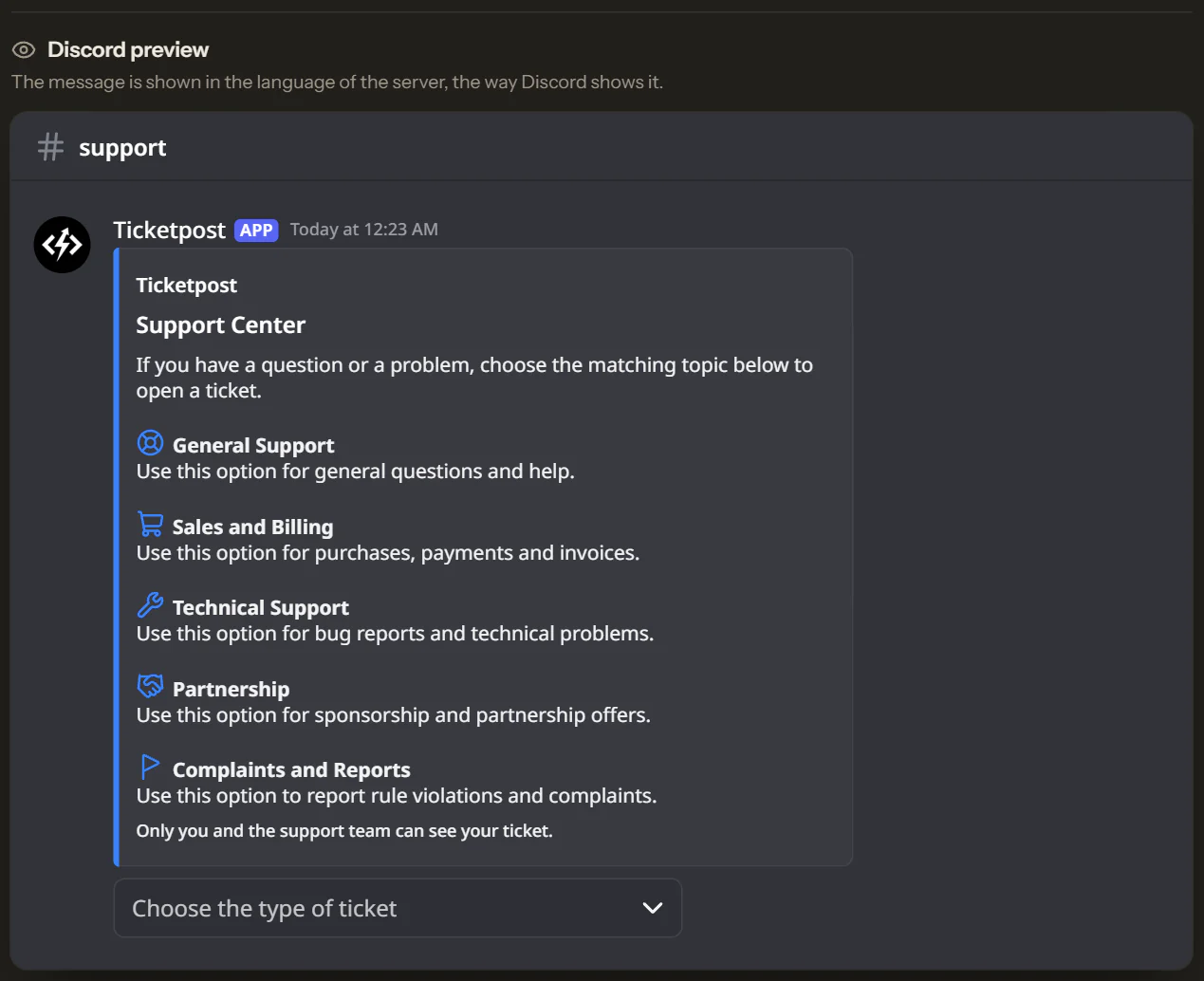
Support Center
If you have a question or a problem, choose the matching topic below to open a ticket.Sales and Billing
Technical Support
Ticketpost
A member picks a topic in a panel and fills in a short form. Ticketpost opens the ticket in a private channel, tells your team, and keeps a transcript of the conversation when the ticket closes.
Adding Ticketpost is free, and its premium features are free during early access too. If you would like to add the bot with fewer permissions, you can look at the other invite.
This window is a working copy of Ticketpost's support panel. Choose a topic and send the form to see how the ticket opens.
You pick the ticket category, the support role and the log channel from the lists of your server. If you want, the bot creates them with the right permissions; it creates nothing unless you ask.
You prepare the topics, descriptions and menu in the panel. The preview uses the language of the bot and the look of Discord, and it updates even before you save.
The member picks a topic and fills in a short form. The ticket opens in a private channel or private thread, an HTML transcript is kept when it closes, and the member rates the support.
Canned replies, working hours, reminders for waiting tickets and closing silent tickets after a warning are built in.
Ticketpost speaks six languages and can answer every member in their own Discord language. Ticket channels can be named in the language of the member too.

The windows use the bot's real messages and buttons. The member and staff names are examples.
Choose an application type, send the form and watch the application arrive in the review channel.
As Arda from the staff, choose a canned reply from the list.
Press the file to open the transcript.
As Deniz, choose a score and add a comment if you like.
The report arrives in the log channel by itself, so it has no buttons.
Send Deniz's message and watch the translation for the team appear under it. Ticketpost detects the language by itself. You can first choose another language for Deniz under the window.
Paid plans have not started, and nothing is charged now. Servers that add the bot during early access become founding servers and get the premium plan at a lifetime discount of 50 percent when paid plans start.
When paid plans start, the settings of servers without premium are not deleted. Your next save has to fit the free limits, and the monthly report, automatic translation and the appearance per server stop.
No plan limits the number of tickets that can be opened.
Read the details of early access and the founding discount| Feature | Free | Premium |
|---|---|---|
| Ticket topics | Up to 3 | Up to 25 |
| Application types | Up to 1 | Up to 25 |
| Canned replies | Up to 5 | Up to 25 |
| Monthly support report | Not included | Included |
| Automatic ticket translation | Not included | Included |
| The bot's name, avatar, banner and bio on this server | Not included | Included |
The bot does the same work with both invites. The only difference is whether the bot can see private channels that existed before it joined your server.
If your question is not here, you can ask it on our Discord server.
Only for two things. Automatic translation needs the text of the messages written in a ticket, and the transcript includes the texts of the messages. Everything else works with slash commands, buttons and forms, and message texts are never written to the database.
Either one. In the panel you choose whether tickets open in separate channels or in private threads.
No plan limits the number of tickets. Once paid plans start, the free plan will only limit the number of ticket topics, application types and canned replies.
Not right away. After the bot leaves the server, your settings and records are kept for 30 days. If you add the bot again within that time, you continue where you left off.
Yes. You change Ticketpost's name, avatar, banner and bio on your server in the panel, and the change is visible only on your server. This is a premium feature, and it is free during early access.
We have one server for support and sales. Its shared language is English, and it also has chat channels in Turkish and other languages. Support requests and custom bot orders start with a ticket.