BrightBots
 Watchfire
 shows the live status of your game server on your Discord server.
Watchfire watches FiveM, Minecraft and Steam game servers, shows the status of each one in a single message and alerts your team when a server goes down.
Adding Watchfire is free, and its premium features are free during early access too. If you would like to add the bot with fewer permissions, you can look at the other invite.
This window is a working copy of Watchfire's status message. Press the button under the message, or stop the game server and watch the same message change.
Five reasons to choose Watchfire.
The status message is edited only when something changes.
Watchfire writes one message for each game server and edits it only when something changes, by default at most once a minute. When nothing changes, only the time of the last update is refreshed every five minutes. The channel does not fill up with new messages.
A single failed check does not alarm your team for nothing.
The alert goes out when the number of checks you choose in the panel fail in a row, and it mentions the role you choose. When the server is back, the length of the outage is posted.
It also says why the server is offline.
If the server did not answer in time, refused the connection or its domain name could not be found, Watchfire says so in one sentence. Nothing is guessed.
FiveM, Minecraft and Steam games are in the same bot.
FiveM and RedM, Minecraft Java and Bedrock, Steam games that use the Source query such as CS2 and Rust, and SA-MP and open.mp are supported. Every game is queried with its own protocol.
The bot sets up the channel permissions when you save.
In the status and alert channels, members can read the messages but cannot write. Watchfire gives itself the permissions each saved setting needs and never removes a permission.
Watchfire is running in three steps.
- Add the bot to your server with the recommended invite. It creates nothing when it joins and points you to the panel.
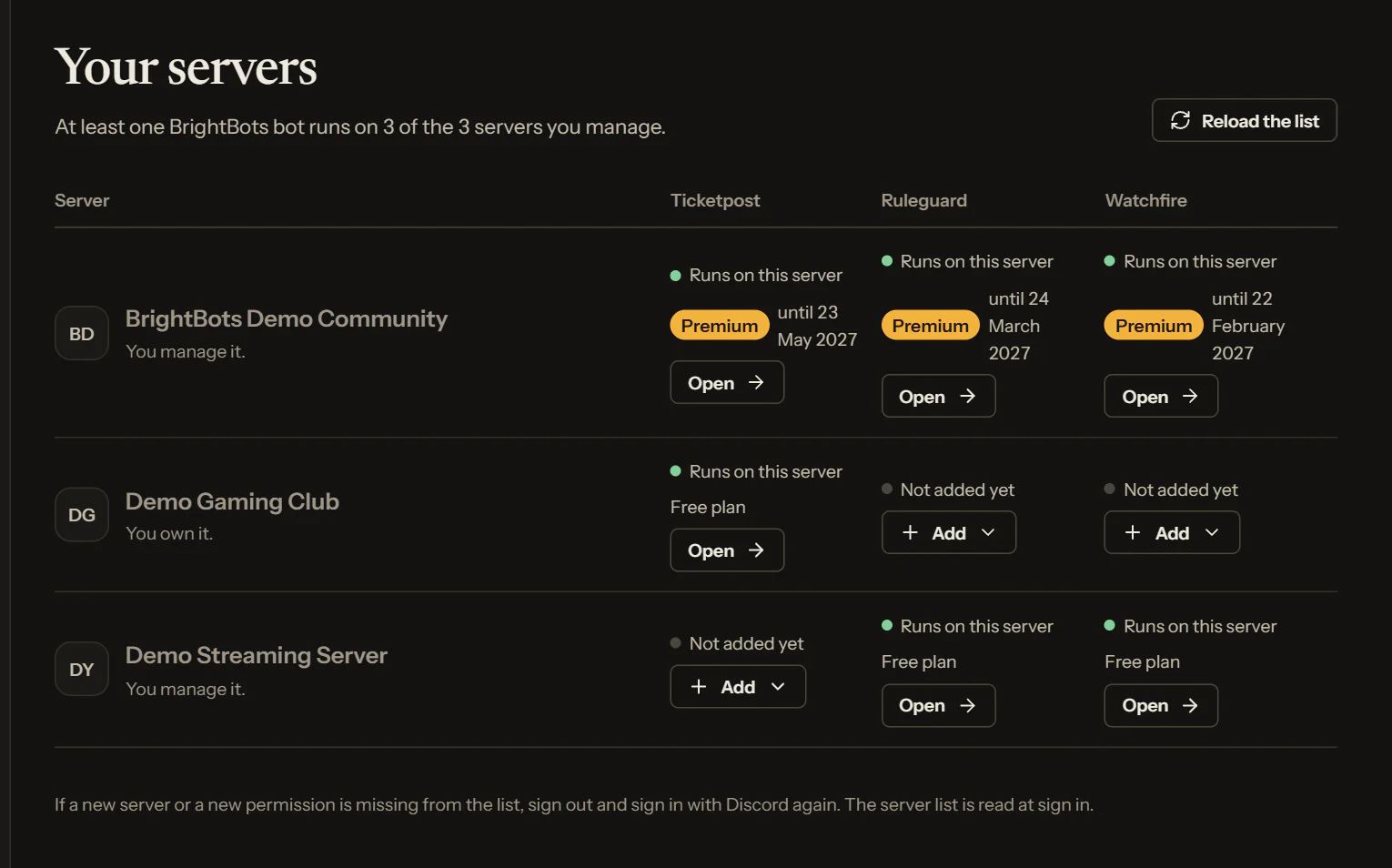
- Open BrightBots Panel and pick channels and roles from the lists of your server. Next to every pick, the bot says whether it can work there.
- See in the preview exactly how the message will look in Discord, and press Send to channel. That is all.
You can try the features of Watchfire here.
The windows use the bot's real messages and buttons. The server and player names and the numbers are examples.
Stop the game server and watch the alert channel.
Choose one of the commands. Everyone in the channel sees the answer of these two commands.
Choose a command. Only you see the answers of these commands, and the buttons in the info answer are real links.
Watchfire brings what a gaming community needs to know about its server into Discord.
Everything is set up in BrightBots Panel. The status message, the alerts and the counter can be turned on or off for each game server.
The status message shows everything at a glance.
- Online or offline, the player count, the map, the ping, the address, the version and the first players of the list are in one message.
- When the server shares more player names than the message lists, the All players button shows up to 50 players, only to the member who pressed it. You can add a join link too.
- You can add up to twenty link buttons of your own under each message, for example for the rules or the store.
Outage alerts tell your team in time.
- The alert goes out when the number of checks you choose in the panel fail in a row. The default is two.
- The alert mentions the role you choose, and if you like, the alert channel is open only to that role.
- When the server is back, a message says how long the outage lasted.
- Outages are recorded even with alerts turned off, and they show up in the uptime command.
Watchfire knows the most played game servers.
- FiveM and RedM servers are queried through their own info addresses.
- Minecraft Java and Minecraft Bedrock servers are supported.
- Steam games such as CS2, Rust, ARK, Garry's Mod, Team Fortress 2 and DayZ are watched with the Source query.
- SA-MP and open.mp servers are supported as well.
A voice channel counter shows the player count in the channel list.
- The name of the voice channel you choose is updated, for example to Players: 42/64, and you write its text for each language.
- The channel is renamed only when the name changes and at most twice in ten minutes, because that is Discord's limit.
- The counter is part of premium and is free during early access.
The commands are useful for members and staff alike.
- The server status, player list and uptime commands are open to every member.
- The uptime command shows the last 24 hours, the last 7 days and the last 30 days together with the recent outages.
- The info, ping and status commands tell you about the bot itself, and only the member who asked sees the answer.
- Staff with the Manage Server permission put a game server into maintenance with the maintenance command. During the maintenance no outage alert is sent, and the status message shows that the server is under maintenance.
The setup is safe and never touches your server on its own.
- The bot creates no channel or role when it joins, and you pick everything in the panel.
- Members lose the permission to write in the status and alert channels, and the bot only adds the permissions it needs itself and never removes one.
- A channel where a member wrote one of the last messages is never locked, and the bot shows this as a suggestion in the panel.
- Addresses that belong to private networks are not queried, for security reasons.
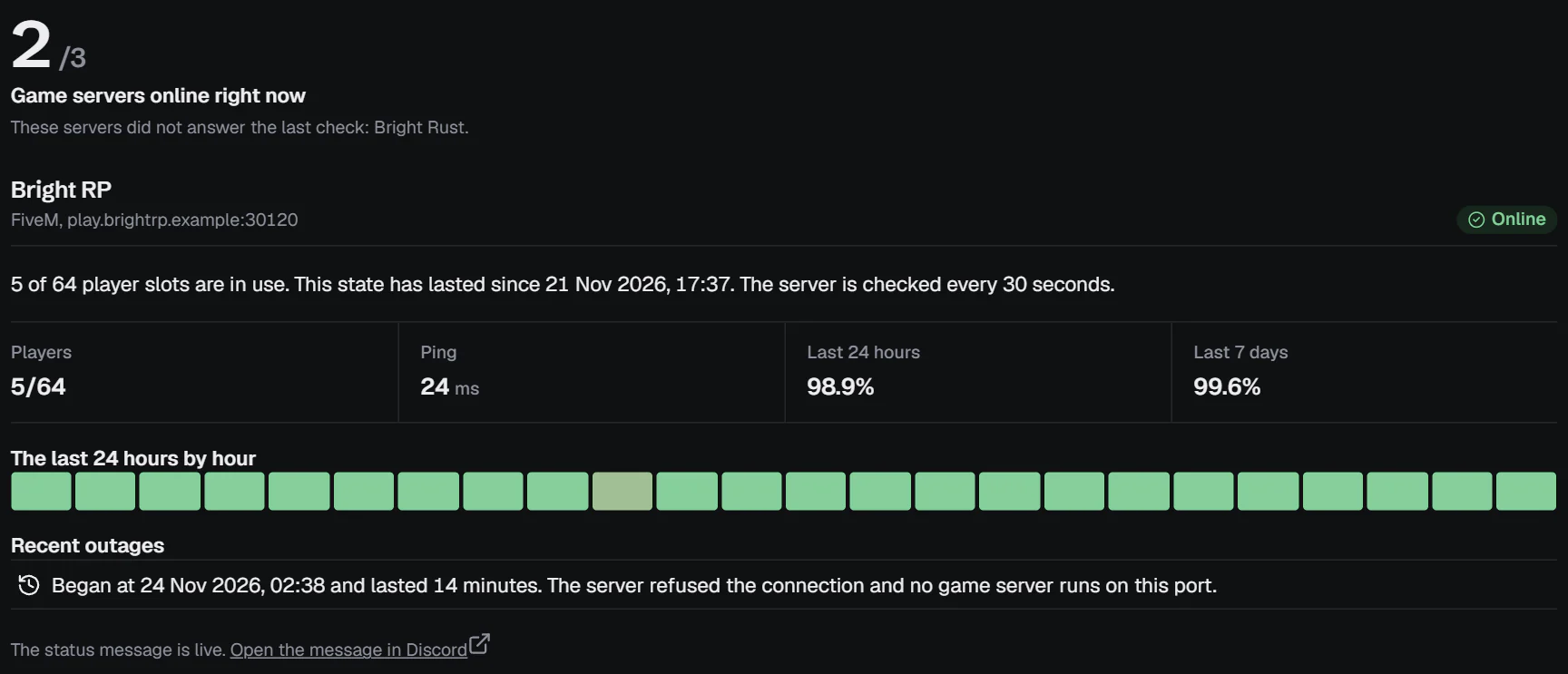
You see the uptime and the outages of every game server in the panel.
The overview page shows how many game servers are online, the player count, the ping, the uptime of the last 24 hours and the last 7 days, and the recent outages with their reasons.
You can use Watchfire for one game server for free.
Paid plans have not started, and nothing is charged now. Servers that add the bot during early access become founding servers and get the premium plan at a lifetime discount of 50 percent when paid plans start.
The free plan checks one game server at most every two minutes. Premium checks 25 game servers at most every 30 seconds, turns on the voice channel counter and lets you change Watchfire's name, avatar, banner and bio on your server.
When paid plans start, your settings are not deleted. On a server without premium, the first game server keeps being watched at the interval of the free plan, and the others and the counter pause.
Read the details of early access and the founding discountYou can add Watchfire to your server in two ways.
The bot does the same work with both invites. The only difference is whether the bot can see private channels that existed before it joined your server.
Here are the common questions about Watchfire.
If your question is not here, you can ask it on our Discord server.
Which games does Watchfire support?
It supports FiveM, RedM, Minecraft Java and Minecraft Bedrock servers, Steam games that use the Source query such as CS2, Rust, ARK, Garry's Mod, Team Fortress 2 and DayZ, and SA-MP and open.mp servers.
How often does Watchfire check my server?
At most every two minutes on the free plan and at most every 30 seconds on the premium plan. You choose the interval for each game server in the panel, and during early access every server can use the premium interval.
Does the status message fill the channel with new messages?
No. Every game server has one message, and that message is edited only when something changes. When nothing changes, only the time of the last update is refreshed every five minutes.
Why is the player list sometimes missing?
Some servers do not share their player list, Minecraft Bedrock never shares player names, and SA-MP servers do not send the list while 100 or more players are online. In these cases Watchfire says why in one sentence.
Can Watchfire watch a server on a private network?
No. Addresses of local and private networks are not queried for security reasons, so the game server needs an address that can be reached from the internet.
Which languages does Watchfire speak?
It speaks English, Turkish, Spanish, Brazilian Portuguese, German and French. Your server can pick one of these languages, or let the bot answer every member in their own Discord language. You write the text of the voice channel counter for each language.
For a problem, a question or a custom Discord bot, you can write to us on our Discord server.
We have one server for support and sales. Its shared language is English, and it also has chat channels in Turkish and other languages. Support requests and custom bot orders start with a ticket.